

MyFitnessPal vs Cronometer: Which Nutrition Tracking App Is Best for Your Goals?
MyFitnessPal vs Cronometer: which is a better app? This is an increasingly popular question. After all, nutrition tracking apps can be a powerful tool for building awareness and gaining real-time insight into what you’re eating. As a dietitian, I didn’t personally use a tracking app until this past year—when my husband began his weight loss journey. It quickly became clear that he needed more precise information on his macronutrient intake (especially hitting specific protein amounts), along with a better understanding of his calorie intake to stay within his targets.

Tracking apps such as MyFitnessPal and Cronometer can be useful tools to achieve nutrition goals.
By using a tracking app consistently, alongside personalized dietitian guidance, my hubby has successfully lost over 40 pounds! He’s feeling more energized, has built muscle mass, and became consistent with hitting daily step goals. Most importantly, he now genuinely enjoys his new way of eating and living, which is key for long-term, sustainable change.
Going through this process alongside him also gave me a deeper, more practical understanding of how nutrition tracking apps can support real-life behaviour change. Nevertheless, this personal experience reinforced something I see often in dietetic practice: many people struggle to truly understand what they’re eating. Tracking calories, portion sizes, protein, fibre, and fats can feel overwhelming. Plus, most people don’t have the time (or desire) to calculate this manually—that’s where nutrition apps can make things much easier.
Today, I’m comparing two of the most popular free options — MyFitnessPal vs. Cronometer — to help you decide which one best fits your goals.
Tracking apps can help you see how your foods fit within your goals and targets.
3 Reasons to Use a Nutrition Tracking App (MyFitnessPal or Cronometer)
1. Build Food Awareness
Many of us eat on autopilot, without fully recognizing portion sizes or macronutrient balance (carbohydrates, fats, and protein).
In clinical practice, I often see clients surprised by what they learn after tracking for just a few days. An essential step in improving nutrition is simply becoming aware of current habits.
Tracking makes your intake visible and measurable. For example, if you’re not meeting your fibre needs, you can clearly see your daily intake and begin making targeted changes.

For those working toward weight loss, tracking calories can also be eye-opening. Many clients are surprised by how quickly calories add up—especially from foods like cooking oils or sauces. Knowledge creates opportunity for change. This can be done with “food swaps” and choosing wisely so you’re full and satisfied with your meal and/or snacks.
Knowledge creates opportunity for change.
2. Learn How to Eat Within Your Targets
Once awareness is established, tracking helps you learn how to structure meals within your targets.
For example, a daily calorie goal can be divided across meals and snacks to support energy levels and reduce overeating later in the day.
From a dietitian’s perspective, this is where tracking becomes a skill—not just a tool.
Balancing protein, carbohydrates (including fibre), and fats helps support fullness, energy, and sustainability. Adequate protein intake, in particular, plays a key role in satiety and shifting body composition for those wanting to reduce body fat and increase lean/muscle mass.

Tracking apps can help ‘unscramble’ your eating with refined targets and increased awareness.
Working with a Registered Dietitian can help refine these targets, as app-generated recommendations are often generalized.
In my husband’s case, tracking helped him identify his “sneaky calories.” For example, he realized how quickly cooking oils (about 100 calories per tablespoon) added up, so he and switched to an oil spray for better portion control. He also switched to higher volume meals with fewer calories so he actually ended up eating MORE and feeling fuller than before, while staying within his calorie targets for weight loss. Nice!

Nutrition tracking apps can help identify “sneaky calories” that often go unnoticed and make changes.
3. Support Results
When nutrition intake is more accurate, results are often easier to achieve.
Whether the goal is weight loss, muscle gain, or improved health markers like cholesterol lowering, fatty liver or pre-diabetes, hitting specific calorie and macronutrient targets matter.
If targets aren’t consistently met, results are less likely to follow.
Research shows that nutrition tracking apps can support short-term weight loss (approximately 5% over 8 weeks) and improve dietary habits—especially when paired with professional guidance. That said, accuracy matters, and these tools should complement (not replace) individualized dietitian support.
The foods we eat impact our health. Take ownership of your choices to support your goals.
MyFitnessPal vs Cronometer: Key Similarities
1. Goal Setting
Both apps allow you to enter personal data (age, weight, activity level) to generate a daily calorie target based on your goal—whether that’s weight loss, maintenance, or weight gain.
However, these targets are generalized and may benefit from adjustment with a dietitian.
As you log food, both apps track calories consumed and remaining. If you log exercise, they may also adjust your daily calorie allowance.

General calorie targets provided by nutrition tracking apps can be further individualized by your dietitian.
2. User-Friendly Tracking
Both MyFitnessPal and Cronometer offer mobile and desktop versions with user-friendly interfaces.
You can log meals by category (breakfast, lunch, dinner, snacks), track hydration, and view daily calorie totals.
MyFitnessPal is often considered more beginner-friendly, with a simpler layout and quicker navigation.
Cronometer, while still clean and organized, offers more detailed data and may take slightly longer to learn.
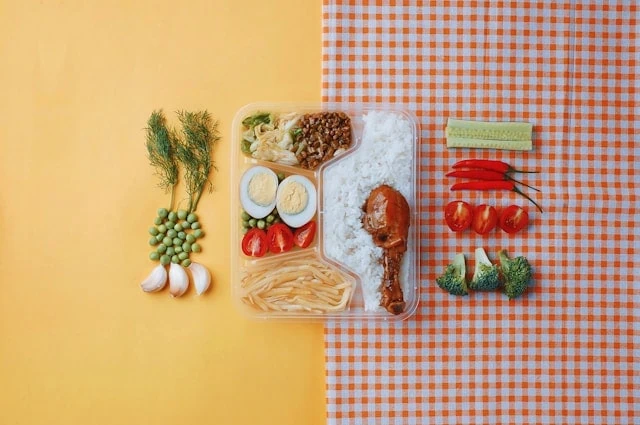
MyFitnessPal vs Cronometer compared for tracking meals! Discover the similarities and differences.
3. Recipe Creation
Both apps allow you to create and save custom recipes in their free versions.
You can input ingredients, set serving sizes, and calculate nutrition per serving—making home-cooked meals easier to track.

Curious how your sandwich shapes up for hitting your macro targets? Enter your ingredients to find out.
Additionally, both nutrition tracking apps allow you to use final cooked weight for improved accuracy, accounting for water loss during cooking. Recipes created can be saved easily on both platforms.
One difference: MyFitnessPal allows recipe import via URL in the free version, while this feature needs a premium subscription in Cronometer.
MyFitnessPal vs Cronometer: Key Differences
1. Custom Macro Targets (Free in Cronometer)
Cronometer allows you to set specific macronutrient targets (grams of protein, carbs, fats) in the free version.
This is especially helpful for clients working toward body composition goals alongside a specialized dietitian.
In MyFitnessPal’s free version, macros are set as percentages (e.g., 30% protein) that must add up to 100, and more precise customization requires a premium subscription. However, in Cronometer you can set one macro target (like only a protein target in grams or a percentage), which is especially helpful for people new to nutrition tracking.
2. Food Database Accuracy
MyFitnessPal has a larger database (over 11 million foods), but many entries are user-generated and not always verified.
Cronometer has a smaller database but prioritizes accuracy. Entries are verified by staff and sourced from trusted databases like the USDA and NCCDB.
From a dietitian perspective, Cronometer offers more reliable data. This is the one my husband and I have been using.

3. Barcode Scanner (Free in Cronometer)
Cronometer includes a barcode scanner in its free version, allowing you to quickly log packaged foods with accurate nutrition information. In my professional opinion, this is one of the most useful features and saves time if searching an item or questioning if the nutrition is exact for the product.
In MyFitnessPal, this feature requires a premium subscription.

Cronometer offers a FREE tool to quickly log your food products by scanning its barcode.
4. Micronutrient Tracking
Cronometer tracks a wide range of micronutrients (up to ~80), including vitamins, minerals, amino acids, and electrolytes.
This allows for deeper insight into areas like iron, calcium, sodium, and fibre intake.
MyFitnessPal’s free version focuses primarily on calories and macronutrients.
Tracking micronutrients offers a deeper understanding on how foods in the diet influence health.
5. Community Features
MyFitnessPal includes an in-app community where users can connect, share progress, and join challenges.
Cronometer does not have an in-app community but offers support through external platforms like forums and Reddit.

When comparing MyFitnessPal vs Cronometer, they have different online support communities.
Which App Should You Choose?
- Choose MyFitnessPal if you:
- Are new to tracking.
- Want a simple, quick interface.
- Prefer a large food database.
- Choose Cronometer if you:
- Want precise macro targets.
- Care about data accuracy.
- Want to track vitamins and minerals.
- Are working toward body composition goals.
| Client Focus: | Which App: |
| Beginner | MFP |
| Advanced / macro tracking | Cronometer |
| Micronutrients focus | Cronometer |
| Simplicity | MFP |
Bottom Line: MyFitnessPal vs Cronometer
Nutrition tracking apps can be a highly effective tool for improving awareness, building consistency, and supporting specific health goals.
The key is choosing the right tool for your needs:
- MyFitnessPal is ideal for beginners who want a simple, easy-to-use app for tracking calories and basic macros.
- Cronometer is better suited for those who want more precise data, including detailed macronutrient and micronutrient tracking—especially when working toward specific body composition or health goals.

Both apps can be valuable, but accuracy, consistency, and the right strategy are what drive results. Therefore, for best outcomes, consider working with a Registered Dietitian who can help you set personalized targets and use these tools effectively.
Related Topics

Andrea D'Ambrosio is a Registered Dietitian, health-enthusiast and adoring foodie. She started Dietetic Directions as a way to share science-based information mixed with inspirational content for lifelong change.
Book a Dietitian ConsultationRelated Recipes




Hi! I’m Andrea,
Registered Dietitian, health enthusiast, and proud foodie. I created Dietetic Directions to bring together science-based nutrition and real-life strategies that make healthy eating feel achievable and enjoyable. I believe in finding balance, building sustainable habits, and helping you feel your best—without perfection.
Know More About Me